ZeCopy: Fast clipboard transfer between Chrome and mobile devices
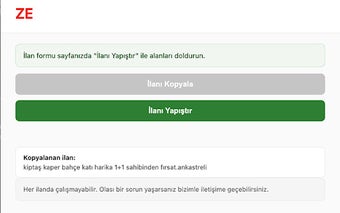
ZeCopy from zecopy.com is a Chrome extension that syncs clipboard contents between a desktop browser and mobile devices. It captures copied text, URLs, and short snippets, preserves a searchable clipboard history, and offers one-click transfer of the current tab or selected text to connected devices. The extension runs with a small browser footprint and pairs with companion mobile apps or a web interface for cross-device access. It suits students, researchers, and professionals who need quick text transfers.
What is ZeCopy used for?
ZeCopy addresses the friction of moving small pieces of information across devices, aimed at students, researchers, and professionals who switch between desktop and mobile work. Its purpose is a focused clipboard bridge, replacing manual steps such as emailing links or pasting into temporary notes. That narrow scope favors immediate access to copied text and links during research sessions, rather than acting as a long-term file repository.
How light is ZeCopy on system resources?
The extension installs into the browser with a small footprint so it does not add noticeable delays to page rendering under normal use. Background processes remain modest, which helps when many tabs or other extensions are active and reduces interruptions during long, multitask sessions. This behavior makes ZeCopy appropriate for workflows that depend on a responsive browser while moving snippets between devices.
Is my synchronized data secure?
ZeCopy uses encrypted transmission protocols to protect clipboard items while they move between devices, according to the developer. Security relies on the linked device channel, so establishing a secure connection between devices is part of the setup. The tool is optimized for text and URLs; users should avoid transmitting large, high-resolution images through the clipboard feature and use a dedicated file service instead.
How well does ZeCopy sync across different devices and browsers?
The extension supports Chrome and other Chromium-based browsers and pairs with a companion mobile app or the web interface for Android and iOS access. Clipboard history is accessible on machines where the extension is configured, which helps people who move between multiple desktops and phones. The cross-platform model focuses on fast, short transfers and integrates into browser-centered workflows rather than replacing cloud storage for bulky items.
Practical, focused clipboard syncing for multi-device workflows
ZeCopy is a practical choice for users who need immediate access to copied text across machines and value a low-impact browser tool that stays out of the way. Its encryption and modest resource use make it unobtrusive, but it is intended for short text transfers rather than heavy file movement. Pair ZeCopy with a dedicated file-sharing service for larger assets to cover both quick access and bulk transfers.